 Notepad by AI Scroll
Simple notes that sync to every computer.
A fast notepad in your Chrome toolbar or side panel. Notes save as you type, keep their own history, and sync through your own Chrome bookmarks. No account, no login, no tracking.
Add to Chrome – it's free Notepad Pro waitlistMoving from the old “Notepad” extension?
The old Notepad extension hasn't been updated since 2025, and many users report lost notes. Switching takes ten seconds:
- Add Notepad to Chrome.
- Click the Notepad icon in your toolbar.
- Click Import. Every note comes across. Your original notes are not changed.
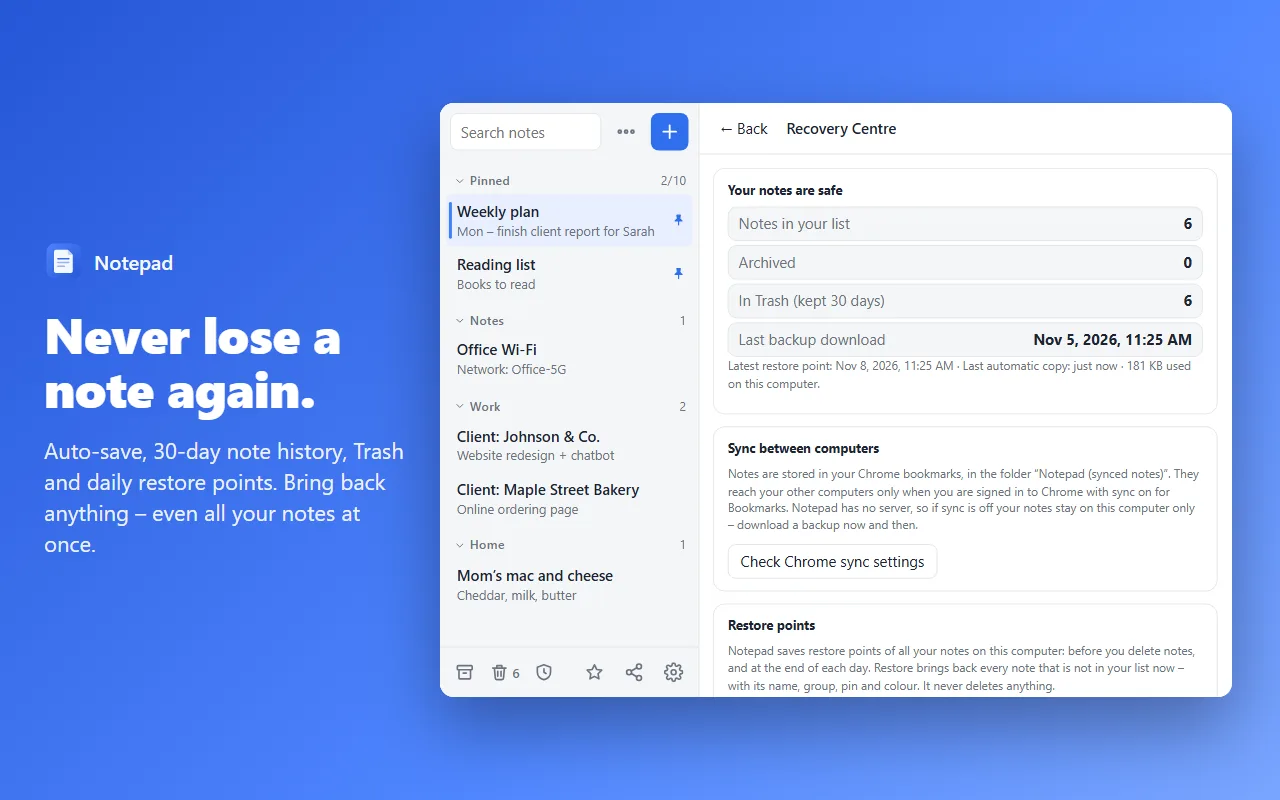
Never lose a note
30-day note history, Trash, Undo and daily restore points – all in one Recovery Centre.
Side panel
Keep your notes open next to any website while you browse.
Safe on two computers
If another computer changes a note, the text it replaced stays in history.
Templates & checklists
Meeting notes, to-do lists and journals – or save your own templates.
Syncs without an account
Notes live in your Chrome bookmarks, so Chrome Sync carries them to your other computers.
Backup in one click
Download all notes as a file any time, and restore them in one click.
Dark mode & search
Match your system theme, search every note instantly, drag to reorder.
Save from any page
Right-click to save selected text or the page link – or press Alt+Shift+L.
Private
No servers, no analytics, no ads. Your notes never leave your browser.