 Notepadby AI Scroll
Notepad › Guides › Recover a deleted note
How to recover a deleted note in Chrome
Deleted a note by mistake, or one just vanished? Don't write anything new yet. Here's where to look, in the order most likely to get it back.
Quick check: 1) press Ctrl+Z or click Undo right away · 2) open your notepad's Trash · 3) check the note's history · 4) restore from a restore point or backup.
First: where did the note live?
Chrome has no notes feature of its own. Your note was in one of these – and that decides how to get it back:
| Where the note was | Where to look | How long you have |
|---|---|---|
| Notepad (our extension) | Undo · Trash · Note history · Recovery Centre | Trash 30 days, history 30 days (newest 5 kept forever) |
| Google Keep | Menu › Trash › open the note › Restore | 7 days |
| Another notepad extension | Its own Trash or Undo, if it has one | Depends on the extension – many have no trash |
| A bookmark-based notepad | chrome://bookmarks – look in its folder | If you deleted it in the bookmark manager just now, Ctrl+Z there may undo it |
Recover a note in Notepad
1. Undo – if you just deleted it
A small bar appears at the bottom after every delete. Click Undo and the note is back where it was.
2. Trash – deleted in the last 30 days
Click the trash can at the bottom of the note list. Find the note and click Restore. It goes back to its group.
3. Note history – the note is there, but its text changed
Open the note and click the clock icon at the top. You'll see earlier versions, saved automatically while you write. Show changes highlights what was added and removed; Restore brings that version back (your current text is kept in history too, so you can't make it worse).
4. Recovery Centre – Trash emptied, or many notes gone
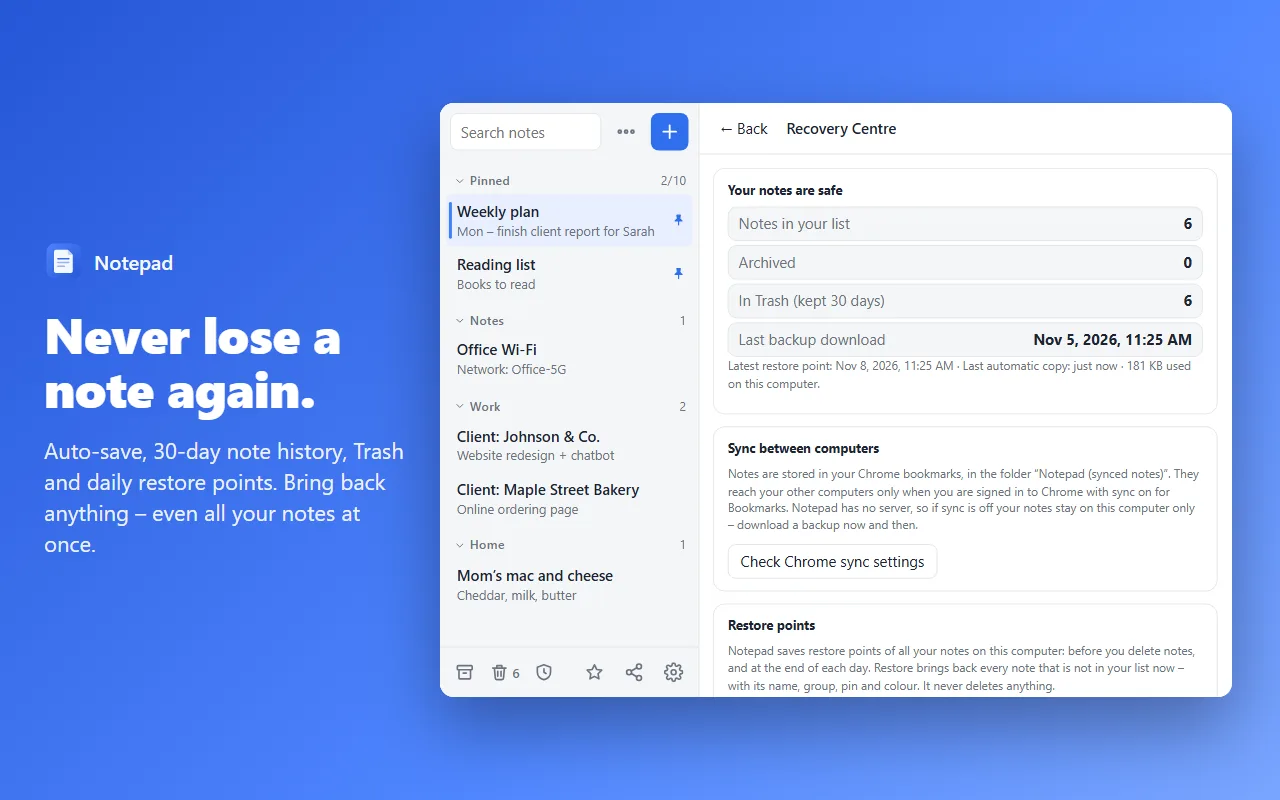
Click the shield icon at the bottom of the note list. Notepad makes a restore point of all your notes before you delete anything and at the end of every day. Pick one and click Restore – it brings back every note that isn't in your list now, with its name, group, pin and colour. It never deletes anything.
5. Edited on another computer?
If a note changed because you (or sync) edited it on another computer, Notepad shows “Changed on another computer – see earlier text”. The text it had before is waiting in that note's history.
Recover a note in Google Keep
- Open keep.google.com.
- Click the menu (☰) and choose Trash.
- Open the note and click Restore.
Keep empties its Trash after 7 days. Also check Archive – archived notes disappear from the main list but aren't deleted.
Make sure it never happens again
- Use a notepad with a Trash and history. Many simple notepads delete instantly with no way back.
- Download a backup now and then. In Notepad: Settings › Backup › Download backup (.json) – it keeps formatting, groups, pins and colours, and restores in one click.
- Turn on Chrome sync for Bookmarks so your notes also live on your other computers.
- Don't edit the notes' bookmark folder by hand – rename and move notes inside the notepad.
Try Notepad – free
Auto-save, 30-day note history, Trash, restore points and a Recovery Centre. Syncs through your Chrome bookmarks – no new account.
Add to Chrome – it's freeMore guides
FAQ
Does Chrome have a built-in notes recycle bin?
No. Chrome itself has no notes feature, so a deleted note can only come back from wherever it was stored: your notepad extension's Trash or history, Google Keep's Trash, or a backup you downloaded.
How long does Google Keep keep deleted notes?
Google Keep keeps notes in its Trash for 7 days, then deletes them for good.
Can I recover a note after I uninstalled my notepad extension?
It depends on where the extension stored the notes. Notepad stores them in your Chrome bookmarks, so they survive uninstalling – install it again and they come back. Extensions that keep notes only in their own storage lose them when removed.
I emptied the Trash. Is the note gone?
In Notepad, look in Recovery Centre: restore points are made before you delete notes and at the end of each day, and they can bring the note back even after the Trash is emptied.