 Notepadby AI Scroll
Notepad › Guides › Google Keep alternative
Google Keep alternative without an account
Google Keep is good – but it needs a Google account, and your notes live on Google's servers. If you just want quick notes in Chrome without signing up for anything, here are your real options, with the trade-offs.
Short answer: if you work on computers in Chrome, a notepad extension that saves notes in your Chrome bookmarks gives you Keep-style quick notes with no new account and no third-party server. If you need notes on your phone, stay with Keep.
Why people look for an alternative
- No extra sign-up. Not everyone wants another account – or to use their Google account for notes.
- Privacy. Keep stores notes on Google's servers. Some people prefer notes that stay in their own browser.
- Speed. A toolbar or side-panel notepad opens instantly, without a web app.
- Safety. Keep's Trash only lasts 7 days and there's no per-note version history.
Your options compared
| Google Keep | Bookmark-sync notepad (e.g. Notepad) | Local-only notepad | |
|---|---|---|---|
| New account needed | Google account | No | No |
| Syncs between computers | Yes | Yes, through Chrome Sync | No |
| Works on phones | Yes (app) | No | No |
| Where notes are stored | Google's servers | Your Chrome bookmarks | One browser only |
| Deleted notes | Trash, 7 days | Notepad: Trash 30 days + restore points | Often no trash |
| Version history per note | No | Notepad: yes, 30 days | Rarely |
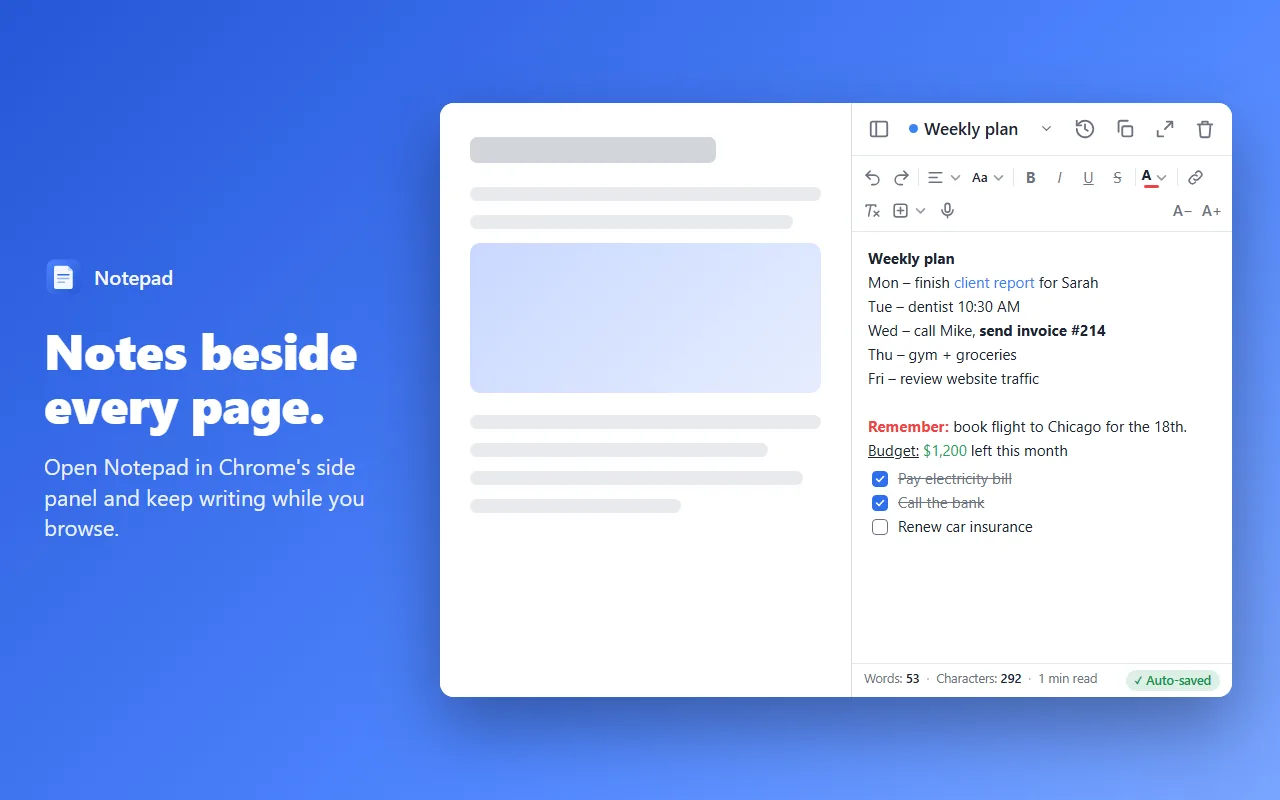
| Checklists, colours, labels | Yes | Notepad: checklists, colours, groups, pins | Varies |
| Side panel next to pages | No | Notepad: yes | Some |
| Price | Free | Free | Usually free |
To be clear about “no account”: syncing between computers always needs something to carry the notes. A bookmark-sync notepad uses Chrome Sync, which is tied to the account you're already signed in to Chrome with – nothing new to create. If you're not signed in to Chrome, your notes still work, just on that one computer.
When Google Keep is still the better choice
- You need your notes on your phone every day.
- You share notes and lists with other people.
- You set reminders on notes.
- You use Safari, Firefox or other browsers as much as Chrome.
We'd rather you pick the right tool than install the wrong one.
When a Chrome notepad is the better choice
- You mostly take notes on a computer, in Chrome.
- You want notes open next to the page you're reading.
- You don't want another account or a company server holding your notes.
- You've lost notes before and want history, Trash and restore points.
Moving your notes over from Keep
There's no one-click import from Keep yet. The quickest way is to copy the notes you still use into Notepad – paste keeps simple formatting like bold, lists and links. Your notes stay in Keep too, so nothing is lost while you try it.
If you want a full copy of everything in Keep, Google Takeout exports it as HTML and JSON files you can keep as a backup.
Try Notepad – free
Auto-save, 30-day note history, Trash, restore points and a Recovery Centre. Syncs through your Chrome bookmarks – no new account.
Add to Chrome – it's freeMore guides
FAQ
Can I use Google Keep without a Google account?
No. Google Keep needs a Google account to save and sync notes.
Does Notepad need an account?
No new account. Notes are saved in your Chrome bookmarks. To sync them to your other computers, Chrome Sync must be on – which uses the Google account you're already signed in to Chrome with. Without it, Notepad still works on that one computer.
Can I move my notes from Google Keep?
There is no one-click import from Keep yet. Copy the notes you still need into Notepad – or keep using Keep for them. Google Takeout exports Keep notes as HTML and JSON files, which Notepad can't read directly.
Is there a Notepad app for phones?
Not yet – Notepad is a Chrome extension for computers. If you need your notes on your phone every day, Google Keep is the better fit.